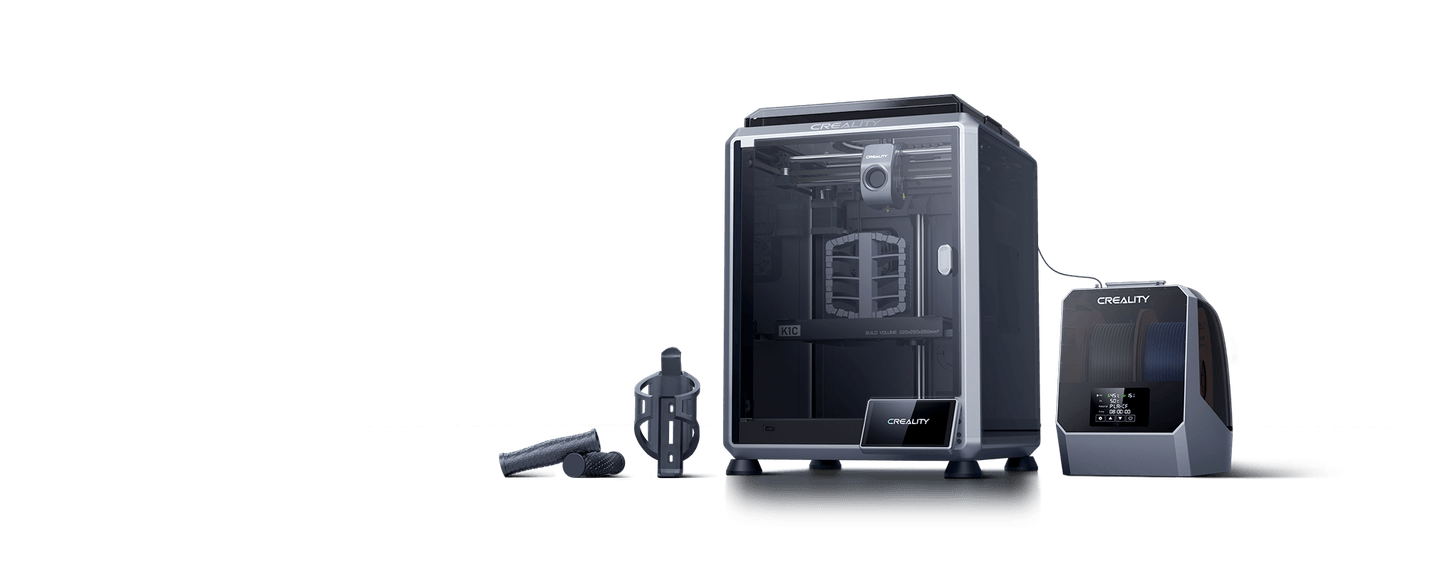
Our verdict: A first enclosed printer for PLA, PETG and ABS
Creality K1C
Compact enclosed CoreXY printer · Creality
Creality's small enclosed CoreXY, rated for carbon-fiber filaments.
Best forA first enclosed printer for PLA, PETG and ABS
Key specs Manufacturer data
- Technology
- FDM, CoreXY, enclosed
- Build volume
- 220 × 220 × 250 mm
- Max speed
- 600 mm/s
- Max acceleration
- 20,000 mm/s²
- Max nozzle temp
- 300 °C
- Max bed temp
- 100 °C
- Extruder
- Dual-gear direct drive
- Bed leveling
- Automatic
- Camera
- AI camera
- Screen
- 4.3"
- Connectivity
- Wi-Fi, USB
- Machine size
- 355 × 355 × 482 mm
- Weight
- 12.4 kg
- Notable extras
- Carbon-fiber filaments listed (PLA-CF, PA-CF, PET-CF), air purifier
Why it stands out
- Enclosed CoreXY at 600 mm/s and 20,000 mm/s² (Creality figures)
- 300 °C hotend; Creality lists PLA-CF, PA-CF and PET-CF
- AI camera and air purifier included
Trade-offs
- 220 × 220 mm bed limits large parts
- Tom's Hardware criticised the filament path
- Single color out of the box
Spec sources: creality.com, tomshardware.com
The headline specs
- Technology: FDM, CoreXY, enclosed
- Build volume: 220 × 220 × 250 mm
- Max speed: 600 mm/s
- Max acceleration: 20,000 mm/s²
- Max nozzle temp: 300 °C
- Max bed temp: 100 °C
- Extruder: Dual-gear direct drive
- Bed leveling: Automatic
Spec sources: creality.com, tomshardware.com. Specs checked .
What stands out
The K1C keeps the K1's enclosed CoreXY layout and adds a hotend Creality rates for abrasive carbon-fiber filaments, plus an AI camera for failure detection. At 12.4 kg and 355 mm wide it fits a desk shelf, which is the main reason to choose it over larger enclosed machines.
Who it suits, who should skip it
- Best for: A first enclosed printer for PLA, PETG and ABS.
- Skip it if you print helmets or large parts, or want multicolor without extra hardware.
Recommended settings and materials
Start with the Creality profiles in Creality Print and change one thing at a time. For PLA, most users print around 200–220 °C with the top lid lifted or removed: an enclosure that traps heat can soften PLA in the extruder on long jobs. PETG usually sits at 230–250 °C with the bed at 70–80 °C. ABS and ASA are the reason to buy an enclosed machine: close the lid, preheat the bed at 100 °C for ten minutes so the air inside warms up, and keep the room draft-free. For PLA-CF or PA-CF, dry the spool first (nylon absorbs moisture within hours) and keep a spare nozzle at hand, because fibers wear brass parts quickly.
Temperature ranges are common starting points from filament and resin makers: always follow the label of the spool or bottle you use.
Living with it: upkeep and running costs
Day to day, the K1C asks for little: wipe the build plate with isopropyl alcohol, check the nozzle wiper and clean the fan ducts every few dozen hours. Budget for consumables rather than repairs: replacement plates, a spare hotend or nozzle, and the carbon filter of the air purifier if you print a lot of ABS. At 355 mm wide and 12.4 kg, one person can move it, and it fits on a sturdy shelf, but leave room above it to open the lid.
Before you buy: checklist
- Measure the shelf: 355 × 355 mm footprint, 482 mm high, plus clearance to lift the lid.
- List the parts you want to print: anything over 220 mm on X or Y needs a bigger machine.
- If you plan ABS, ASA or carbon-fiber filaments, budget for a filament dryer.
- Decide now whether you will want multicolor later: the K1C is single-color as sold.
Where to buy
| Merchant | Type | Link |
|---|---|---|
| Creality | no commission | Official store |
Other options
Against its closest rivals the trade-off is size versus features. The Creality K1 Max shares the K1C's 600 mm/s and 20,000 mm/s² figures but offers 300 × 300 × 300 mm instead of 220 × 220 × 250 mm, at 18 kg instead of 12.4 kg. The Flashforge Adventurer 5M Pro has a similar 220 mm cube, a camera and wired Ethernet, but stops at 280 °C at the nozzle, which rules out the hotter engineering filaments. The Elegoo Centauri Carbon 2 Combo goes further on paper: 256 mm cube, 350 °C hardened nozzle, 110 °C bed and four colors in the box. Choose the K1C if desk space matters most and single-color printing is enough.
 Read the reviewCreality K1 MaxA 300 mm cube with LiDAR first-layer checks.
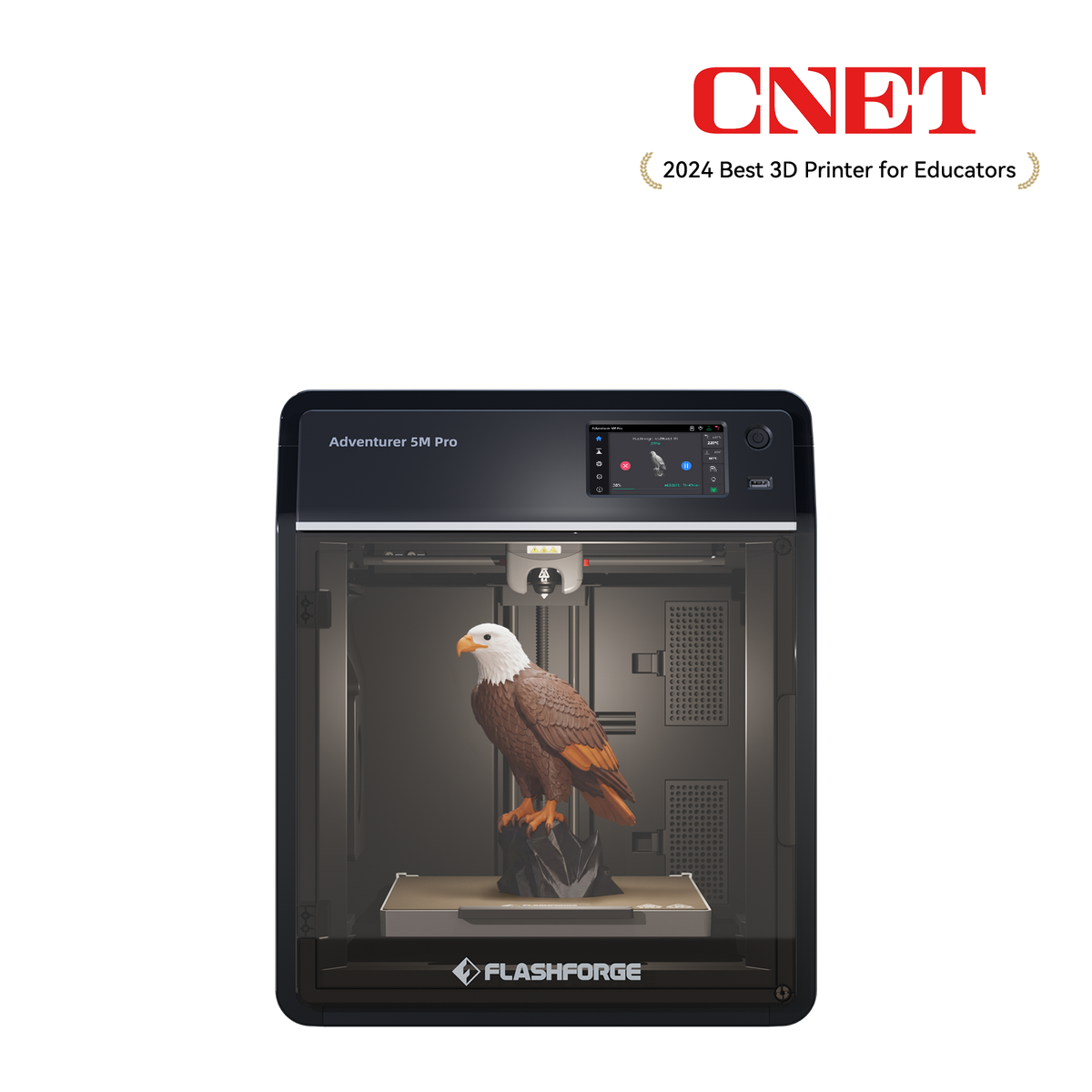 Read the reviewFlashforge Adventurer 5M ProA small enclosed CoreXY with a camera and Ethernet.
 Read the reviewElegoo Centauri Carbon 2 ComboElegoo's second-generation enclosed CoreXY, sold with 4-color CANVAS.
How it compares
Swipe sideways to compare all 4
| Spec | Creality K1C | Creality K1 Max | Flashforge Adventurer 5M Pro | Elegoo Centauri Carbon 2 Combo |
|---|---|---|---|---|
| Technology | FDM, CoreXY, enclosed | FDM, CoreXY, enclosed | FDM, CoreXY, enclosed | FDM, CoreXY, enclosed |
| Build volume | 220 × 220 × 250 mm | 300 × 300 × 300 mm | 220 × 220 × 220 mm | 256 × 256 × 256 mm |
| Max speed | 600 mm/s | 600 mm/s (300 mm/s typical) | 600 mm/s (travel) | 500 mm/s |
| Max acceleration | 20,000 mm/s² | 20,000 mm/s² | 20,000 mm/s² | 20,000 mm/s² |
| Max nozzle temp | 300 °C | 300 °C, hardened steel nozzle | 280 °C | 350 °C, hardened steel |
| Max bed temp | 100 °C | — | 100 °C | 110 °C |
| Extruder | Dual-gear direct drive | Dual-gear direct drive, 32 mm³/s max flow | Direct drive | — |
| Bed leveling | Automatic | Automatic + AI LiDAR first-layer scan | — | — |
| Camera | AI camera | AI camera | Yes | — |
| Screen | 4.3" | 4.3" | 4.3" | — |
| Connectivity | Wi-Fi, USB | LAN, Creality Cloud, USB | Wi-Fi, Ethernet, USB | ELEGOO app, USB drive |
| Machine size | 355 × 355 × 482 mm | 435 × 462 × 526 mm | 380 × 400 × 453 mm | — |
| Weight | 12.4 kg | 18 kg | — | — |
| Multicolor | — | — | — | CANVAS, 4 colors |
| Enclosure | — | — | — | Enclosed chamber with smart grille |
| Where to buy |
Frequently asked questions
Can the Creality K1C print carbon-fiber filament?
Creality lists PLA-CF, PA-CF and PET-CF among supported filaments, with a nozzle rated up to 300 °C.
Is the K1C enclosed?
Yes. It is an enclosed CoreXY printer with an air purifier listed in Creality's specifications.
What is the K1C build volume?
220 × 220 × 250 mm according to Creality.
Should I print PLA with the K1C lid closed?
Usually not on long prints. An enclosure keeps heat in, which helps ABS but can soften PLA in the extruder. Lifting or removing the lid for PLA is the common practice on enclosed CoreXY machines.
Is the K1C a good first 3D printer?
It can be, if you value a compact enclosed machine with automatic leveling and a camera. Beginners who only print PLA may not need the enclosure and could look at an open printer.
Can I add multicolor to the K1C?
It is sold as a single-color printer. Check Creality's current compatibility list before buying any add-on, as support changes over time.
Did you test the Creality K1C yourselves?
No. This page is based on the manufacturer's published specifications and on public reviews, which we cite and date. If a brand lends us a unit, the page will say "Tested by the team".