Affiliate note. We may earn a commission when you buy through links on this page, at no extra cost to you. It never changes our picks. How we make money.
What actually makes a printer beginner-friendly
Specs like top speed matter far less to a beginner than the things that cause failed first prints. We weight these five criteria:
- Automatic calibration. Manual bed leveling and Z-offset are the number-one source of first-layer failures. Automatic, sensor-based routines remove most of it.
- Slicer with ready profiles. Bambu Studio and PrusaSlicer ship tuned profiles for their printers and common filaments.
- Forgiving materials. A printer that handles PLA and PETG well covers 90% of beginner projects.
- Upgrade path. Multicolor units, larger nozzles and spare parts you can actually buy.
- Community. A large user base means answers already exist for your problem.
Our beginner picks
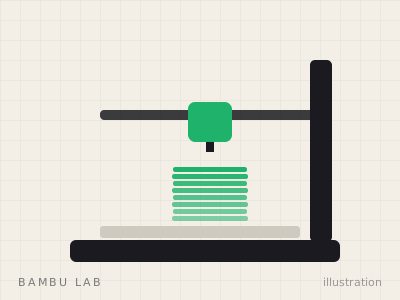
Best for most beginners
Bambu Lab A1
Full-size build volume with the A1 mini's hands-off calibration.
Best for Beginners who want room to grow
Key specs manufacturer data
| Technology | FDM, bed-slinger (open frame) |
|---|---|
| Build volume | 256 × 256 × 256 mm |
| Max toolhead speed | 500 mm/s |
| Max acceleration | 10,000 mm/s² |
| Max nozzle temp | 300 °C |
| Max bed temp | 100 °C |
| Multicolor | AMS lite (4 colors) or AMS / AMS 2 Pro via A1 AMS Hub (up to 16) |
| Calibration | Nozzle-probed Z-offset, auto leveling, resonance & flow calibration, belt-tension monitoring |
Why it stands out
- 256 mm cube covers most household and cosplay parts
- Automatic calibration of Z-offset, flow and resonance
- Clear multicolor upgrade path
Trade-offs
- Open frame: drafts and fumes are not contained
- Bed-slinger motion is less suited to very tall prints than CoreXY
- Not the right tool for ABS/ASA
Spec sources: bambulab.com · matterhackers.com
The A1 does the tedious work for you: its nozzle probes the bed to set the Z-offset, it calibrates flow (pressure advance) and resonance automatically, and it monitors belt tension. For a beginner that means fewer mysterious first-layer failures. Add the AMS lite when you want color.
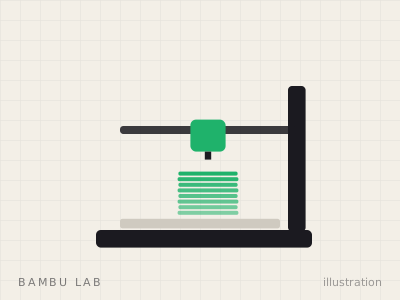
Best for small desks and families
Bambu Lab A1 mini
The smallest, simplest way into modern FDM printing.
Best for First printer, small desks, kids' and hobby projects
Key specs manufacturer data
| Technology | FDM, bed-slinger (open frame) |
|---|---|
| Build volume | 180 × 180 × 180 mm |
| Max toolhead speed | 500 mm/s |
| Max acceleration | 10,000 mm/s² |
| Max nozzle temp | 300 °C |
| Max bed temp | 80 °C |
| Multicolor | AMS lite, up to 4 colors |
| Calibration | Automatic bed leveling, Z-offset, vibration & flow calibration |
Why it stands out
- Fully automatic calibration routine before prints
- Small footprint fits on a desk or shelf
- AMS lite option adds 4-color printing later
Trade-offs
- 180 mm cube limits helmets, big props and tall parts
- Open frame: not suited to ABS/ASA
- 80 °C bed caps high-temperature materials
Spec sources: bambulab.com · 3djake.com
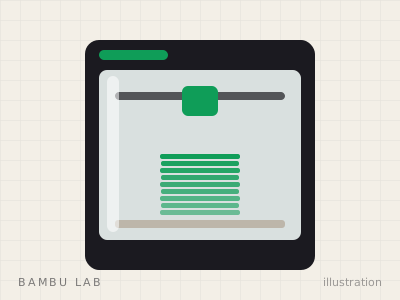
Best if you want an enclosure from day one
Bambu Lab P2S
The P1S successor: touchscreen, stronger extruder, AMS 2 Pro.
Best for Most people buying an enclosed printer in 2026
Key specs manufacturer data
| Technology | FDM, CoreXY, enclosed with active airflow |
|---|---|
| Build volume | 256 × 256 × 256 mm |
| Max toolhead speed | Up to 600 mm/s (Bambu Lab launch figure; some retailer sheets list 500 mm/s) |
| Max acceleration | 20,000 mm/s² |
| Max nozzle temp | 300 °C |
| Max bed temp | 110 °C |
| Multicolor | AMS / AMS 2 Pro / AMS HT, up to 20 colors |
| Interface | 5-inch touchscreen, 1080p camera, Wi-Fi + USB |
Why it stands out
- Touchscreen and USB replace the P1S's D-pad and microSD
- Extruder force roughly 70% higher than P1S (per Tom's Hardware)
- AMS 2 Pro in the Combo adds filament drying
Trade-offs
- No actively heated chamber
- TPU cannot run through the AMS
- Same 256 mm cube as the P1S
Spec sources: tomshardware.com · 3djake.com · matterhackers.com
An enclosed printer is not harder to use, just bigger and more expensive. Buy the P2S as a first printer if you know you will print ABS or ASA (car parts, outdoor fixtures), if the room is drafty, or if you want noise and particles contained. Compare it with the cheaper P1S here.
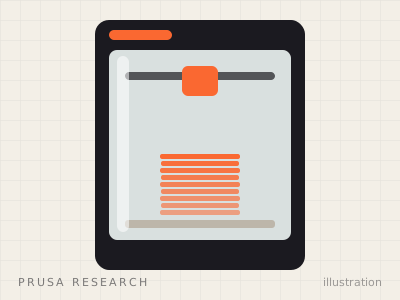
Best for learning how printers work
Prusa CORE One
Prusa's enclosed CoreXY, open-source and serviceable.
Best for Tinkerers, makerspaces, buyers who value openness
Key specs manufacturer data
| Technology | FDM, CoreXY, enclosed (chamber warmed by the bed, not separately heated) |
|---|---|
| Build volume | 250 × 210 × 270 mm |
| Leveling | Load-cell automatic bed leveling |
| Hotend | 0.4 mm High Flow CHT nozzle |
| Materials (per Prusa) | PLA, PETG, ASA, ABS, PC, TPU and more |
| Multicolor | Optional MMU3 (5 materials) |
| Formats | Assembled or DIY kit; MK4S upgrade kit available |
| Connectivity | USB, LAN, Wi-Fi |
Why it stands out
- Open-source firmware and slicer, strong repairability
- Available as a kit (cheaper) or assembled
- Door sensor and vented chamber designed for both PLA and ABS
Trade-offs
- Smaller XY area than a 256 mm cube
- MMU3 multicolor is an add-on, not a turnkey combo
- Typically priced above Bambu's enclosed models
Spec sources: tomshardware.com · 3dprintingindustry.com
Compare the beginner picks
| Bambu Lab A1 mini | Bambu Lab A1 | Bambu Lab P2S | Prusa CORE One | |
|---|---|---|---|---|
| Technology | FDM, bed-slinger (open frame) | FDM, bed-slinger (open frame) | FDM, CoreXY, enclosed with active airflow | FDM, CoreXY, enclosed (chamber warmed by the bed, not separately heated) |
| Build volume | 180 × 180 × 180 mm | 256 × 256 × 256 mm | 256 × 256 × 256 mm | 250 × 210 × 270 mm |
| Max toolhead speed | 500 mm/s | 500 mm/s | Up to 600 mm/s (Bambu Lab launch figure; some retailer sheets list 500 mm/s) | — |
| Max acceleration | 10,000 mm/s² | 10,000 mm/s² | 20,000 mm/s² | — |
| Max nozzle temp | 300 °C | 300 °C | 300 °C | — |
| Max bed temp | 80 °C | 100 °C | 110 °C | — |
| Multicolor | AMS lite, up to 4 colors | AMS lite (4 colors) or AMS / AMS 2 Pro via A1 AMS Hub (up to 16) | AMS / AMS 2 Pro / AMS HT, up to 20 colors | Optional MMU3 (5 materials) |
| Calibration | Automatic bed leveling, Z-offset, vibration & flow calibration | Nozzle-probed Z-offset, auto leveling, resonance & flow calibration, belt-tension monitoring | — | — |
| Interface | — | — | 5-inch touchscreen, 1080p camera, Wi-Fi + USB | — |
| Leveling | — | — | — | Load-cell automatic bed leveling |
| Hotend | — | — | — | 0.4 mm High Flow CHT nozzle |
| Materials (per Prusa) | — | — | — | PLA, PETG, ASA, ABS, PC, TPU and more |
| Formats | — | — | — | Assembled or DIY kit; MK4S upgrade kit available |
| Connectivity | — | — | — | USB, LAN, Wi-Fi |
| Where to buy |
Specs from manufacturer pages and published reviews. Prices change daily, so we don't print them: use the buttons for the current price.
Your first week: what to buy alongside
- Two or three spools of PLA from a consistent brand (our PLA guide).
- A filament dryer if you plan to print PETG or TPU, or live somewhere humid (dryer picks).
- Isopropyl alcohol and lint-free wipes for cleaning the build plate.
- Flush cutters and a deburring tool for cleaning up supports.
Frequently asked questions
What is the easiest 3D printer for a complete beginner?
The Bambu Lab A1 and A1 mini are the easiest mainstream choices because they automate Z-offset, bed leveling, flow and vibration calibration before printing. You mostly choose a file, pick a filament profile and press print.
Should a beginner buy a resin printer?
Only if miniatures or very fine detail are the main goal. Resin adds chemical handling, ventilation and post-processing, so most beginners are happier starting with an FDM printer and PLA.
Is the A1 mini too small?
Its 180 mm cube is enough for most toys, desk accessories and household fixes. It becomes limiting for helmets, large cosplay parts and tall vases, where the 256 mm A1 is the better buy.
What filament should a beginner start with?
PLA. It prints at low temperatures, barely warps and needs no enclosure. Move to PETG for tougher parts once you are comfortable.