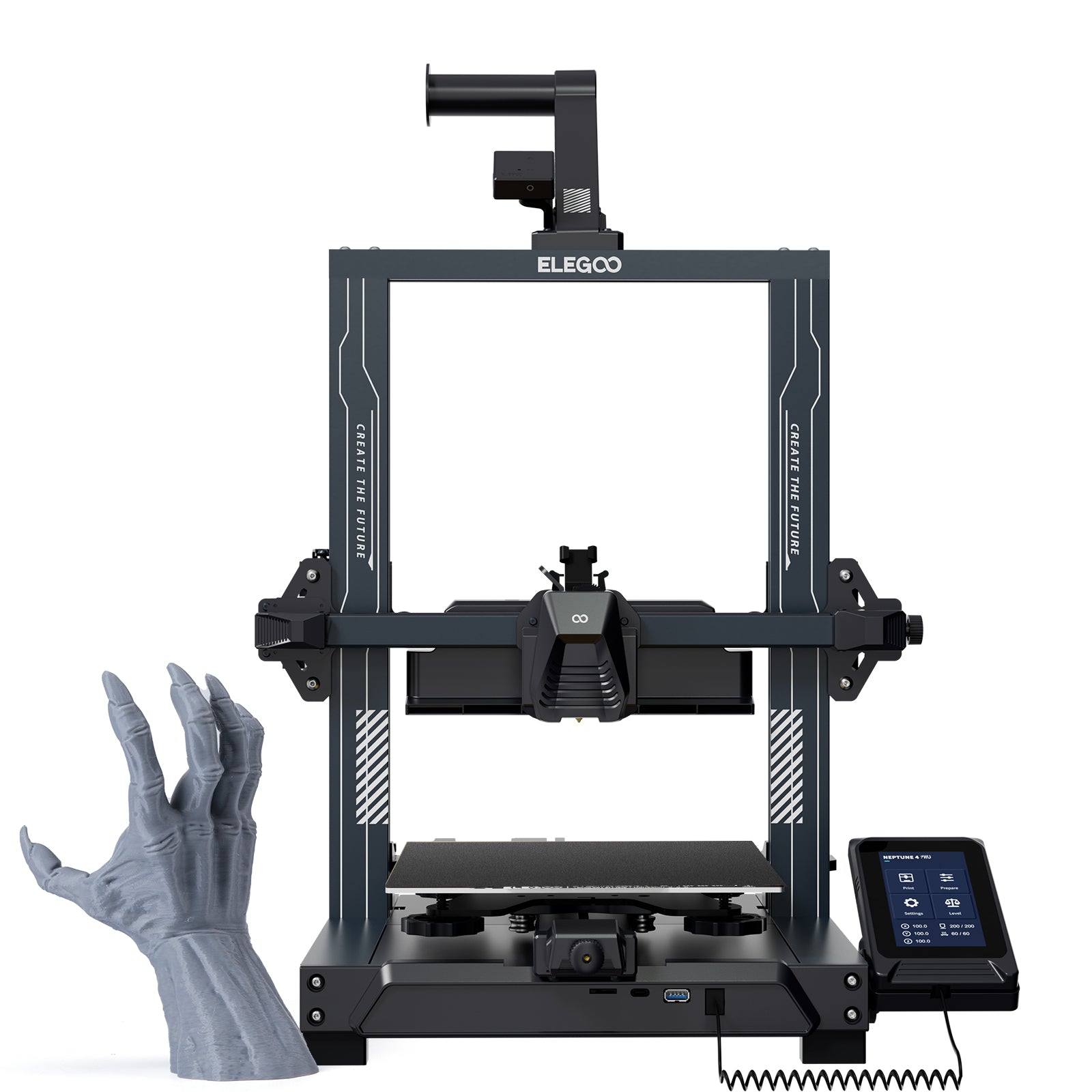
Our verdict: Fast single-color printing on a budget
Elegoo Neptune 4 Pro
Fast open-frame Klipper printer · Elegoo
A fast bed-slinger with a powerful direct-drive extruder.
Best forFast single-color printing on a budget
Key specs Manufacturer data
- Technology
- FDM, Cartesian, open frame
- Build volume
- 225 × 225 × 265 mm
- Max speed
- 500 mm/s (250 mm/s suggested)
- Max nozzle temp
- 300 °C
- Max bed temp
- 110 °C
- Extruder
- Direct drive
- Bed leveling
- 121-point automatic mesh
- Enclosure
- Open frame
- Screen
- 4.3"
- Connectivity
- USB, microSD
- Machine size
- 475 × 445 × 515 mm
Why it stands out
- Up to 500 mm/s with Klipper
- Textured PEI plate praised for adhesion
- Dual synchronized Z screws
Trade-offs
- Open frame, so not ideal for ABS
- Tom's Hardware: leveling needs manual input
Spec sources: elegoo.com, tomshardware.com
The headline specs
- Technology: FDM, Cartesian, open frame
- Build volume: 225 × 225 × 265 mm
- Max speed: 500 mm/s (250 mm/s suggested)
- Max nozzle temp: 300 °C
- Max bed temp: 110 °C
- Extruder: Direct drive
- Bed leveling: 121-point automatic mesh
- Enclosure: Open frame
Spec sources: elegoo.com, tomshardware.com. Specs checked .
What stands out
Tom's Hardware highlighted the strong direct-drive extruder, a "sport" part-cooling fan, linear rods and dual Z screws, with a textured PEI plate that grips well. The 4.3-inch touch screen and 121-point mesh make it more automated than older Neptunes.
Who it suits, who should skip it
- Best for: Fast single-color printing on a budget.
- Skip it if you want an enclosure, a camera or multicolor.
Recommended settings and materials
The Neptune 4 Pro runs Klipper, so it can print much faster than older bed-slingers, but Elegoo itself suggests about 250 mm/s for everyday use rather than the 500 mm/s peak. PLA works well at 200–220 °C on the textured PEI plate, which Tom's Hardware praised for adhesion; PETG at 230–245 °C with the bed at 70–80 °C. The 300 °C nozzle and 110 °C bed technically allow ABS, but in an open frame large ABS parts will warp, so keep to small ones or add an enclosure. Run the 121-point mesh after moving the printer, and check the Z offset: Tom's Hardware noted leveling still needs manual input.
Temperature ranges are common starting points from filament and resin makers: always follow the label of the spool or bottle you use.
Living with it: upkeep and running costs
Maintenance is typical of an open Cartesian printer: keep the linear rods and the dual Z screws clean, check belt tension, and replace the nozzle as it wears. Klipper rewards users who like to tinker, with input shaping and macros you can adjust from the web interface. At 475 × 445 × 515 mm it takes more room than its build volume suggests, mainly because the bed travels front to back. Elegoo sells it in the EU in a Type-C version; check the variant on the listing.
Before you buy: checklist
- Allow about 48 × 45 cm of desk space plus room for the bed to travel.
- Check the variant: Elegoo's EU store lists a Type-C version.
- Plan to fine-tune the Z offset after the first mesh.
- Add an enclosure only if you really need ABS: it is not designed around one.
Where to buy
| Merchant | Type | Link |
|---|---|---|
| Elegoo | no commission | Official store |
Other options
The Neptune 4 Pro sits between a beginner printer and a fast enthusiast machine. The Creality Ender-3 V3 SE is simpler and slower (250 mm/s, 260 °C nozzle) in a similar 220 × 220 × 250 mm volume. The Sovol SV08 is the big step up for Klipper fans: a CoreXY with 350 × 350 × 345 mm and 700 mm/s on paper, but you build it yourself. The Anycubic Kobra 4 Combo adds four-color printing and spool drying in a 260 mm cube. Pick the Neptune 4 Pro if you want Klipper speed on a classic single-color printer without assembling a kit.
 Read the reviewCreality Ender-3 V3 SEThe low-cost Ender with auto leveling and a direct drive.
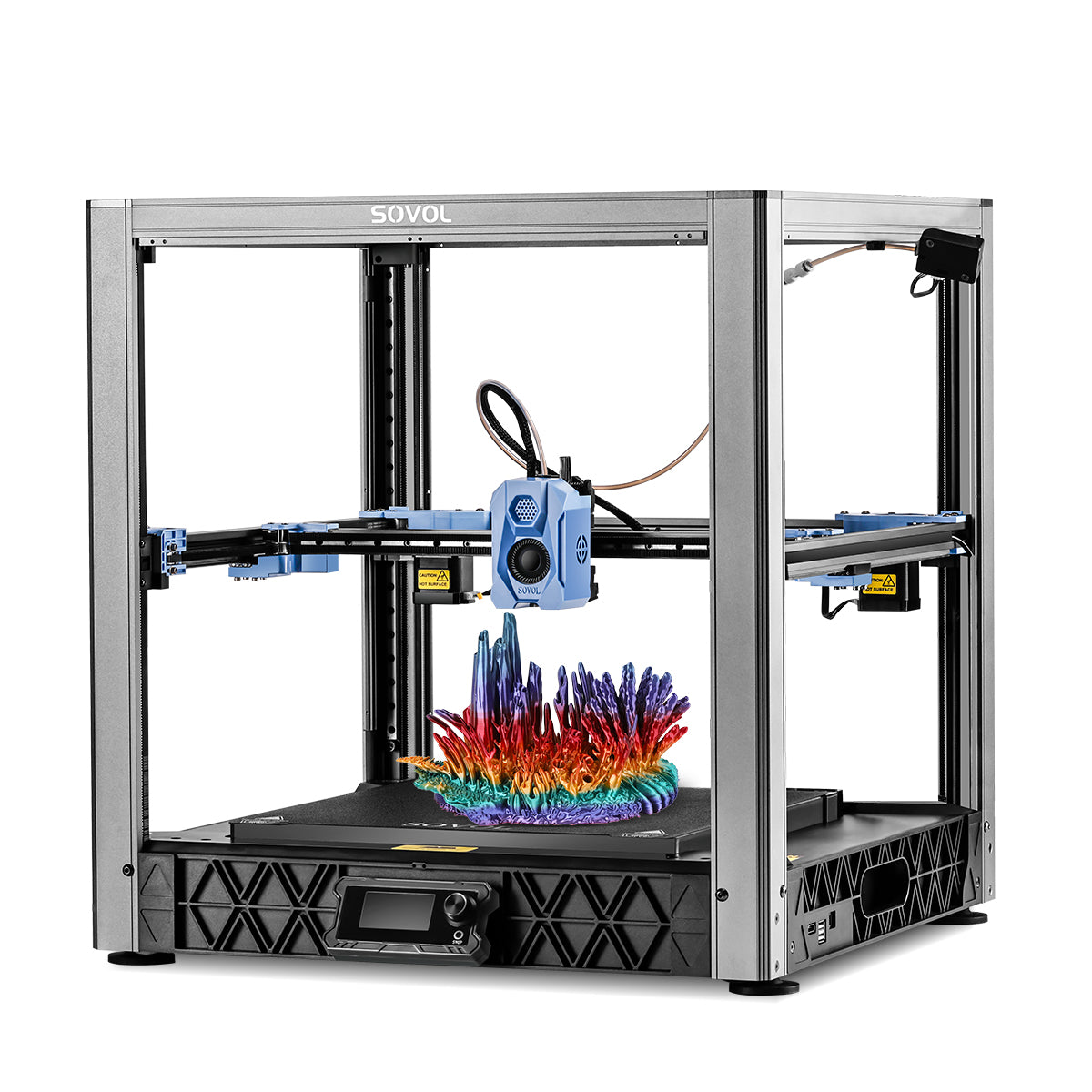 Read the reviewSovol SV08A 350 mm open CoreXY with four Z motors and linear rails everywhere.
 Read the reviewAnycubic Kobra 4 ComboAnycubic's newest multicolor bed-slinger, with active spool drying.
How it compares
Swipe sideways to compare all 4
| Spec | Elegoo Neptune 4 Pro | Creality Ender-3 V3 SE | Sovol SV08 | Anycubic Kobra 4 Combo |
|---|---|---|---|---|
| Technology | FDM, Cartesian, open frame | FDM, Cartesian, open frame | FDM, CoreXY, open frame | FDM, open frame |
| Build volume | 225 × 225 × 265 mm | 220 × 220 × 250 mm | 350 × 350 × 345 mm | 260 × 260 × 260 mm |
| Max speed | 500 mm/s (250 mm/s suggested) | 250 mm/s | 700 mm/s | 600 mm/s (300 mm/s recommended) |
| Max nozzle temp | 300 °C | 260 °C | 300 °C | 300 °C, hardened steel |
| Max bed temp | 110 °C | — | 100 °C | 100 °C |
| Extruder | Direct drive | "Sprite" direct drive | — | — |
| Bed leveling | 121-point automatic mesh | CR Touch auto leveling + auto Z offset | — | — |
| Enclosure | Open frame | Open frame | — | — |
| Screen | 4.3" | 3.2" color screen with knob | 5" | — |
| Connectivity | USB, microSD | — | Ethernet, Wi-Fi 2.4 GHz | — |
| Machine size | 475 × 445 × 515 mm | 349 × 364 × 490 mm | 550 × 537 × 575 mm | — |
| Max acceleration | — | 2,500 mm/s² | 40,000 mm/s² | 20,000 mm/s² |
| Weight | — | 7.12 kg | — | — |
| Camera | — | — | Yes | — |
| Multicolor | — | — | — | 4 colors standard, up to 8 |
| Where to buy |
Frequently asked questions
Is the Elegoo Neptune 4 Pro enclosed?
Open frame.
What is the Elegoo Neptune 4 Pro build volume?
225 × 225 × 265 mm, according to Elegoo.
What speed should I use on the Neptune 4 Pro?
Elegoo quotes 500 mm/s peak but suggests about 250 mm/s for everyday printing; that is a sensible default.
Does the Neptune 4 Pro have a camera?
No. It has a 4.3-inch screen, USB and microSD, but no built-in camera.
Can it print ABS?
The 300 °C nozzle and 110 °C bed allow it, but the open frame makes large ABS parts warp. Small parts or an add-on enclosure work better.
Did you test the Elegoo Neptune 4 Pro yourselves?
No. This page is based on the manufacturer's published specifications and on public reviews, which we cite and date. If a brand lends us a unit, the page will say "Tested by the team".